Key Highlights
- HMIs have evolved into localized control platforms that allow operators to adjust setpoints, monitor process variables and interact with specific machine areas using high-resolution, full-color graphical interfaces.
- Beyond operation, HMIs serve as powerful maintenance and connectivity tools, offering onboard documentation, remote I/O diagnostics, VPN access and even smartphone-based troubleshooting.
- Emerging technologies such as virtual reality, distributed low-cost HMIs and combined PLC-HMI devices are transforming the HMI into a central, cost-effective hub for control, support and collaboration across the plant floor.
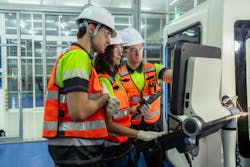
In Part I, the evolution of human-machine interfaces (HMIs) from large, hardwired mimic panels with lights and pushbuttons to graphical, navigation-driven platforms that provide detailed, process-focused visualization was discussed. HMIs are expanding beyond simple operator displays to become integrated control, maintenance and connectivity hubs, incorporating diagnostics, networking and advanced user-interface capabilities.
The next logical step in the implementation of an HMI is providing localized manual control of assemblies or areas of the overall process. These can be more than just start and stop functions. They can also be as elaborate as including dials and sliders to control things like temperature and pressure. Setpoint and process variables can be presented in ways that help the operator to understand where their control points are and how to change them to help the process.
Over the years, the technology of HMI devices has evolved greatly. Screen resolutions have changed tremendously. Where early devices used ASCII characters to represent lines on a page that mimicked the production line, versions now use ultra-high definition to display actual pictures of a device or process with overlayed graphics to show status and sometimes, animated motion.
Early HMIs were of a single color and then expanded to four colors and now can represent the full color spectrum. All these enhancements give designers endless ways to represent the process to the operator on the line.
Aside from the actual operation of the machine or process, HMIs have become an essential tool for the maintenance technician or engineer. Most designs have screens for troubleshooting the control system. These may be as simple as graphical representations of the I/O modules on the processor, so the technician doesn’t have to open the electrical enclosure to see the status of I/O points. This tool extends to remote mounted I/O devices as they can also be displayed on the main operator station, reducing the need to go to the actual location of the remote modules to discover the status of the devices attached to it.
Due to the high-resolution screen technology involved, the HMI can now act as an online catalog or manual for the machine to which it is attached. Most HMIs have enough onboard memory that entire manuals can be stored on the HMI. This is huge for maintaining the system, as the technician doesn’t have to go to the parts room to pull up a manual for the machine or the various controls components.
Some HMI manufacturers have added features that allow for direct connection to a plant-level network where access to information and documents can be dynamically updated to match the master library. Some hardware can browse the Internet for even greater connectivity.
One development that first showed up a couple of years ago was the ability for the HMI to appear on a virtual private network (VPN). This feature was exciting for me in my role as a maintainer, as I could use my smartphone to access the HMI via that VPN connection, and I could wander around the machine or down the production line and have the benefit of accessing the HMI as if I were standing right in front of it.
The greatest impact of this ability was when troubleshooting a motor or solenoid on the backside of the machine while sitting on the ground and being able to activate the device via my smartphone, all while watching the device in real time.
A great feature that I witnessed at a recent trade show is utilizing virtual reality (VR) to execute product changeovers and remote troubleshooting of machines. I have previously seen VR as a cool technology for game consoles and would not have considered that it had a place in machine building.
This vendor was using VR technology for both changeovers and troubleshooting. The user would put on the VR headset and initiate the product changeover. The implementation of VR was used to verbally guide the operator around the machine to the various change points and monitor their progress as the digital dials were adjusted to match the recipe.
Get your subscription to Control Design’s daily newsletter.
The visual display on the headset would highlight change points in green as they were successfully adjusted. For troubleshooting, the headset would highlight the area where a fault condition existed and suggest a means of correcting the issue. That same VR headset would be used for remote troubleshooting where a user could request remote support from the vendor, and the off-site support person would guide the at-machine person in troubleshooting and resolving the issue.
It is also important to note the relatively low cost of HMIs, making it easier to justify including more than one on a control system. In fact, there are small HMIs for as little as $200, making them a potential on-machine control point without the need of physical buttons and lights.
Once used, it isn’t a far stretch to add some of the diagnostics and troubleshooting screens that are present on the main operator station, but perhaps just for the immediate vicinity of the remote HMI station.
The steps saved by the operator or technician during the normal operation of the machine or process can easily be offset by the relatively minimal cost of including it on the machine.
Finally, certain hardware suppliers have combined a programmable controller and an HMI into a single device. This is ideal for small control systems where cost is driving the project, but you still want to have both a PLC and an HMI in the same solution. Any time you can represent an operator control in a graphic environment, you immediately realize a cost saving from not having to modify an enclosure to include physical buttons and then wire them back to the main processor.
These PLC-HMI combinations have various degrees of scale, so you can build a large control system using these cost-effective devices.
The human-machine interface bears little resemblance to the HMIs of 50 years ago. It is the main point of contact between the control system and anyone who would interact with it. It is the operator console. It is a main tool in the hands of a technician or engineer. It is a provider of documentation related to the care and operation of the machine or process.
About the Author

Rick Rice
Contributing Editor
Rick Rice is a controls engineer at Trew Automation, a material handling manufacturer based in West Chester, Ohio. With over 38 years’ experience in the field of automation, Rice has designed and programmed everything from automotive assembly, robots, palletizing and depalletizing equipment, conveyors and forming machines for the plastics industry but most of his career has focused on OEM in the packaging machinery industry with a focus on R&D for custom applications.

Leaders relevant to this article: