Why PLC and HMI backup batteries fail silently until power loss
Key Highlights
- Unlike a smoke detector that chirps, a depleted PLC or HMI backup battery may go unnoticed while main power is on, only causing clock resets, lost setpoints/recipes or wiped programs when power drops.
- Inventorying battery-backed devices, labeling install dates, scheduling replacements 20–30% sooner than recommended in a CMMS, and backing up programs and retentive values protect against unexpected outages.
- Following power-on or power-off replacement rules, verifying clocks and retained data afterward, and mapping low-battery status bits to HMI or SCADA alarms keep systems reliable.

It is 3 a.m., and the house is quiet. Then it comes. One short chirp. You wait. Thirty seconds later, another. You lie there trying to work out whether it is the detector in the hall or the one in the kitchen. There is no chance of finding the ladder in the dark, so you pull the pillow over your head and promise to fix it in the morning.
The smoke detector is not broken. It is doing exactly what it was designed to do. It is telling you, loudly, that its backup battery is nearly dead. It just picked the worst possible time to say so.
The controls on your machines have the same problem, but they do not keep you awake.
The battery nobody sees
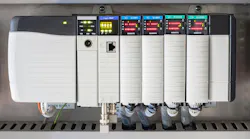
Many programmable logic controllers (PLCs), human-machine interfaces (HMIs) and operator panels depend on a backup battery, often a small 3-V lithium coin cell. When main power is off, that battery keeps the real-time clock running and the retentive memory alive. Depending on the model, retentive memory may hold the program itself. It may also hold recipes, counters, setpoints and other values the program saved. The manual for your device will say which.
Here is the catch. In most of these devices, the battery is only asked to do its job while the power is off. A machine that runs under power for months can have a dead battery for a long time, and no one will know. The failure shows up at the next power-down. It might be a weekend shutdown, a storm or a planned outage. When power returns, the clock is wrong, the retained values are back to zero, and, in the worst case, the program is gone.
Many controllers do have a low-battery indicator—either an LED or a status bit in the program. The LED is on the front of a panel that is closed up inside a cabinet. The status bit is only useful if someone has mapped it to an alarm that a person will actually see. Often no one has.
So, here is the question: Can you say when the battery in each of your controllers was last replaced? If not, you are listening for a chirp that will not come.
Get your subscription to Control Design’s daily newsletter.
Put the battery on the calendar
The fix is not complicated. It is a habit, and like most habits it works best when it is written down.
- Make a list. Walk through the plant and record every PLC, HMI, motion controller, drive or panel that has a backup battery. Write down the battery type and part number.
- Log the install date. Put a dated label on the device so engineering and maintenance can see when the battery was last changed.
- Schedule the replacement. Reduce the interval given in the manufacturer's documentation by 20-30% and schedule this in your computerized maintenance management system (CMMS) or other tracking software. For example, if the manufacturer recommends a five-year interval, change it to three-and-a-half to four years. This will make it routine maintenance, the same as a filter change or a lubrication route.
- Back up before you touch it. Save the PLC program and the HMI project to a location off the machine. Also record the values that live in retentive memory, such as setpoints, recipes and counters. You should already have a system of backups and version control in place. If you do not, I would recommend you create one and maintain it properly.
- Follow the manufacturer's replacement procedure. Some devices allow the battery to be changed with power on so the memory stays alive. Others allow a short time window with power off. Know which one you have before you open the cover. If you use a CMMS, attach the manufacturer's procedure to the work ticket. If not, print the procedure out and post it in the machine cabinet. Follow your electrical safety procedures, including your energized-work rules if the battery is changed with power on.
- Verify and record. After the swap, confirm that the low-battery indicator has cleared, check the clock, and compare the retained values to the ones you saved. Update the label and the CMMS or other maintenance record.
- Alarm the status bit. If the controller reports a low battery in a status bit, bring it to the HMI or supervisory control and data acquisition (SCADA) system as an alarm. This is the closest thing to a chirp that you can build.
Keep a few spare batteries on hand, dated when you receive them. A battery that sat in a drawer for years is not the one you want to trust with your program.
The tradeoff
Replacing batteries on a schedule means that some are changed before they are fully used. That is a small cost. A coin cell is cheap. A line that is down while someone searches for the last good copy of a program, or retypes setpoints from memory, is not.
If a battery fails early
Some batteries will fail before the scheduled change. If the failure is not close to the due date, do not count the early replacement as the scheduled work. Leave the original work ticket in place and complete it on its due date.
Final thoughts
The old advice for smoke detectors is to change the batteries when you change the clocks. Schedule your battery changes in a preventive maintenance system such as a CMMS. The system has a better memory than you.
Do not wait for the chirp. It is much better to climb the ladder at noon than at 3 a.m.
About the Author
 Larry Stepniak
Flint Group
Larry Stepniak is electrical engineer at Flint Group. Contact him at [email protected].

 Leaders Logo
Leaders relevant to this article: