Key Highlights
- Human-machine interfaces (HMIs) have evolved from rigid, physical pushbuttons into high-resolution touchscreen systems that unify real-time visualization, process control and data collection.
- By embedding graphical representations of controllers and explicit text diagnostics directly on the screen, HMIs serve as a first line of defense to rapidly troubleshoot issues without opening control cabinets or waiting for an engineer.
- An effective operator interface relies on core design principles like simplicity, consistency and intuitive layout to maintain high situational awareness and reduce costly operator errors.
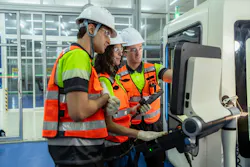
Operator interfaces are the bridge between people and machines. Whether on a factory floor, inside a packaging line or controlling heavy industrial equipment, a well-designed operator interface enables users to monitor processes, make adjustments, respond to alarms and maintain safe, efficient operations. As manufacturing becomes increasingly automated and connected, operator interfaces have evolved from simple pushbuttons and indicator lights into sophisticated touchscreen systems that provide real-time data, diagnostics and remote connectivity.
What is an operator interface?
An operator interface, often called a human-machine interface (HMI), is the hardware and software through which an operator interacts with a machine or industrial process. It presents information about machine status and allows authorized users to issue commands, modify settings, acknowledge alarms and view production data.
Operator interfaces are commonly found on:
- manufacturing equipment
- packaging machinery
- CNC machines
- material-handling systems
- water and wastewater treatment facilities
- food and beverage processing lines
- pharmaceutical production equipment
- energy and utility systems.
The primary goal is to simplify machine operation while improving productivity, safety and reliability.
Evolution of machine interfaces
Early machine control relied on physical pushbuttons, selector switches, analog gauges and indicator lamps. While these systems were durable and straightforward, they offered limited flexibility and required extensive panel wiring.
The introduction of programmable logic controllers (PLCs) transformed industrial automation, and graphical operator interfaces soon followed. Instead of rewiring control panels for every process change, manufacturers could update software screens to accommodate new products, operating modes and production requirements.
Operator interfaces combine industrial computers, high-resolution touchscreens, networking capabilities and powerful visualization software to provide operators with comprehensive control over increasingly complex systems.
Key functions of an operator interface
Modern interfaces perform several functions that improve machine operation.
Operators can instantly view machine status, including:
- operating mode
- production rates
- motor speeds
- temperatures
- pressures
- tank levels
- system diagnostics.
Real-time visualization helps operators quickly identify abnormal conditions before they become major problems.
For process control, operator interfaces allow users to:
- start and stop equipment
- change recipes
- adjust process parameters
- reset faults
- initiate maintenance functions
- switch between automatic and manual operation.
Access to these functions is often controlled through password-protected user levels.
A well-designed alarm system improves response time and reduces downtime by providing:
- visual alarm indicators
- audible notifications
- alarm history
- time-stamped events
- recommended corrective actions.
Operators can quickly determine the cause of an issue and restore normal operation.
HMIs collect valuable production information, including:
- production counts
- downtime events
- cycle times
- energy usage
- equipment efficiency
- quality metrics.
This information supports continuous improvement initiatives and predictive maintenance programs.
Get your subscription to Control Design’s daily newsletter.
Diagnostics
Human-machine interfaces use screen resolutions and colors that were sheer fantasy for earlier versions. This improvement in technology has made the HMI an essential tool for maintenance and troubleshooting.
Not too many years ago, a machine going down meant calling a maintenance team over to pore over the machine, searching for the cause of the stoppage. If nothing obvious was found, the situation was elevated by bringing in a technician or engineer with a laptop to plug into the controller as a means of troubleshooting. Time waiting for maintenance or engineering is time not producing and the sound of a clock ticking when production is down can be the loudest thing in the room—even worse if the source of help isn’t right there in the building. The expense of flying in an outside resource was astronomical but, sadly, commonplace and an accepted cost of business.
The operator interface has become ground zero in the war against downtime. Designers can use the HMI as the first line of defense by putting the diagnostic tools on the screen. Many machine manufacturers will invest the time to present graphical representations of the controller and I/O modules on screens. Combining the module with appropriate status lights and a text description of the I/O point eliminates the need to have someone open a control cabinet or plug in a laptop.
Design principles for effective operator interfaces
Good interface design directly impacts productivity and operator performance.
Simplicity: Screens should present only the information needed for the current task. Excessive graphics, unnecessary animations or cluttered layouts can distract operators during critical situations.
Consistency: Colors, symbols, buttons and navigation should remain consistent throughout the application. Operators should immediately understand how to move between screens and locate important information.
Readability: Text should be large enough to read from normal operating distances. Important values should stand out clearly, and color should never be the sole method of communicating critical information.
Situational awareness: Operators should be able to determine the overall health of the machine within seconds. Dashboards should highlight abnormal conditions while allowing users to drill down into detailed diagnostics when necessary.
Intuitive: Often overlooked in the design of an operator interface is the ability of the end user to get to the desired information or control point in an efficient manner. A purely graphical interface, for example, might show the process flow, but, if the operator doesn’t know that they have to press on a particular part of the screen to access a more detailed screen, then the application is significantly diminished as an effective tool. The use of navigation buttons to quickly jump to main focal points is essential and provides a means for less experienced operators to get to the heart of the matter in fewer touches.
Touchscreen technology
Industrial touchscreens have become the preferred interface for most machine builders due to their flexibility and ease of use.
Common touchscreen technologies include:
- resistive touch
- capacitive touch
- projected capacitive
- infrared touch.
Industrial environments often require screens that function while wearing gloves, resist water and chemicals and withstand vibration, dust and temperature extremes.
About the Author
 Rick Rice
Rick Rice
Contributing Editor
Rick Rice is a controls engineer at Trew Automation, a material handling manufacturer based in West Chester, Ohio. With over 38 years’ experience in the field of automation, Rice has designed and programmed everything from automotive assembly, robots, palletizing and depalletizing equipment, conveyors and forming machines for the plastics industry but most of his career has focused on OEM in the packaging machinery industry with a focus on R&D for custom applications.
 Leaders Logo
Leaders relevant to this article: