Why HMI design matters: Making machine operation and troubleshooting easier
Key Highlights
- Human-machine interfaces evolved from basic push buttons, selector switches and indicator lights into sophisticated graphical touchscreens used in modern industrial control systems.
- Effective HMI screen design, intuitive navigation and high-resolution graphics can improve machine operation, maintenance and troubleshooting.
- Minimizing the number of screen touches required to reach an action point can improve operator efficiency and reduce unnecessary navigation.
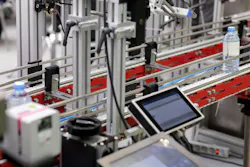
The technology behind a control system has come a long way over the relatively short time that we have had this thing called electricity. Earth's history is long and colorful, but the first Industrial Revolution—who knew there would be more than one?—beginning in the 1750s, launched us on a journey that shows no signs of slowing down.
At the risk of reviewing all of history, we should probably note a few of the significant milestones. In 1752, Benjamin Franklin performed an experiment with a kite that demonstrated the electrical nature of lightning. Forty-eight years later, in 1800, Alessandro Volta invented the voltaic pile, the first electric battery capable of providing a steady flow of current. Between 1821 and 1831, Michael Faraday made important discoveries involving electromagnetism and electromagnetic induction, helping to lay the foundation for electric motors and generators.
André-Marie Ampère, Georg Ohm, Joseph Henry, James Prescott Joule, Nikola Tesla, Thomas Edison and George Westinghouse are names synonymous with the path of discovery that leads to present-day control systems.
The list would not be complete without mentioning Richard "Dick" Morley, considered one of the fathers of the programmable logic controller (PLC). While working with Bedford Associates, Morley helped develop a controller intended to replace relay logic panels on automotive assembly lines. Dr. Odo Struger of Allen-Bradley is also credited with helping establish the term "programmable logic controller" to distinguish the industrial controller from other types of computers, including the personal computer (PC).
The link that binds all these wonderful discoveries together is the need to demonstrate the properties of, and interact with, the processes driven by these inventions. The development of the practical electric light bulb was key in this process, and indicator lights remain a reliable means of announcing a condition today.
The selector switch and pushbutton survive as some of the best ways to change conditions relevant to a process. With these three devices, we have the basis of the human-machine interface (HMI).
This is our dependable constant when we go about designing a control system. While the functions remain, the forms they take are certainly different from the huge annunciation and mimic boards of the past. Electronics continue to propel the HMI into the future.
It can be agreed that the heartbeat of a control system will always be the central processor. Without it, everything is just parts on a shelf. The devices connected to the processor provide actions and status feedback. However, without a means for humans to interact with that processor, operators would have no practical way to direct the machine or process.
The most basic HMI is a small control cabinet with buttons, switches and lights. With that basic functionality, we can start and stop the machine and perhaps have some lights to tell us when things go right and when they go wrong.
We can get more sophisticated and have the lights flash in sequences that help identify what part of the machine or process has failed to complete its assigned action.
Get your subscription to Control Design’s daily newsletter.
Ultimately, the need to input numbers and text strings and see messages in text format is why the HMI that we know came into being. It typically consists of a screen, usually a touchscreen at this point, with the ability to show graphics and navigate to various screens for operating, setup and maintenance functions.
If the controller is the heartbeat of the control system, the HMI is the face. This is where we go when we need to understand what the process is doing, as well as input information to direct future actions.
Well-planned screens and objects can make or break the effectiveness of a human-machine interface. Too few screens, and it's a problem for maintenance and engineering. Too many screens, and it becomes a burden on the operator to get to the interaction points needed to keep the machine or process in the business of making money.
In my career, I have determined that getting to any action point should take no more than three touches of the screen, and I've designed my navigation to do just that.
A huge step forward in this regard was the ability to lay down a background image of the process and then use action buttons to pinpoint the part that you need to interact with. From the overview page, one can potentially get to the action point in a single touch.
A detailed overview and graphical navigation depend on good screen resolution, and HMIs have that.
Coming from my career in packaging machinery, the HMI has become ground zero for operations. However, sometimes we need to be near the part of the machine in question and still be able to touch the screen and navigate to troubleshooting pages.
I can remember many moments when I wished I could just pull the operator station off the machine frame and walk around with it. Well, the automation gods heard me, and today we have a variety of methods for using a control station untethered from the control system itself.
From the earliest pushbuttons and indicator lights to the high-resolution graphical interfaces of today, the HMI has evolved into an essential tool for operating, maintaining and troubleshooting industrial equipment. Thoughtful screen design and intuitive navigation make these interfaces more effective, but even the best-designed HMI has limitations when it is permanently mounted to a machine. The next step in this evolution removes that physical constraint, allowing operators, maintenance technicians and engineers to take the interface with them wherever their work requires.
About the Author
 Rick Rice
Contributing Editor
Rick Rice is a controls engineer at Trew Automation, a material handling manufacturer based in West Chester, Ohio. With over 38 years’ experience in the field of automation, Rice has designed and programmed everything from automotive assembly, robots, palletizing and depalletizing equipment, conveyors and forming machines for the plastics industry but most of his career has focused on OEM in the packaging machinery industry with a focus on R&D for custom applications.
Related
 Leaders Logo
Leaders relevant to this article: